
Purchase as company
Borumi payments are managed by Paddle, our reseller. If you are buying Borumi for your company, you can add your VAT number and company details during checkout. When your business is eligible, VAT (or the equivalent sales tax) is removed from the total before you pay.
Add your company details at checkout
Section titled “Add your company details at checkout”-
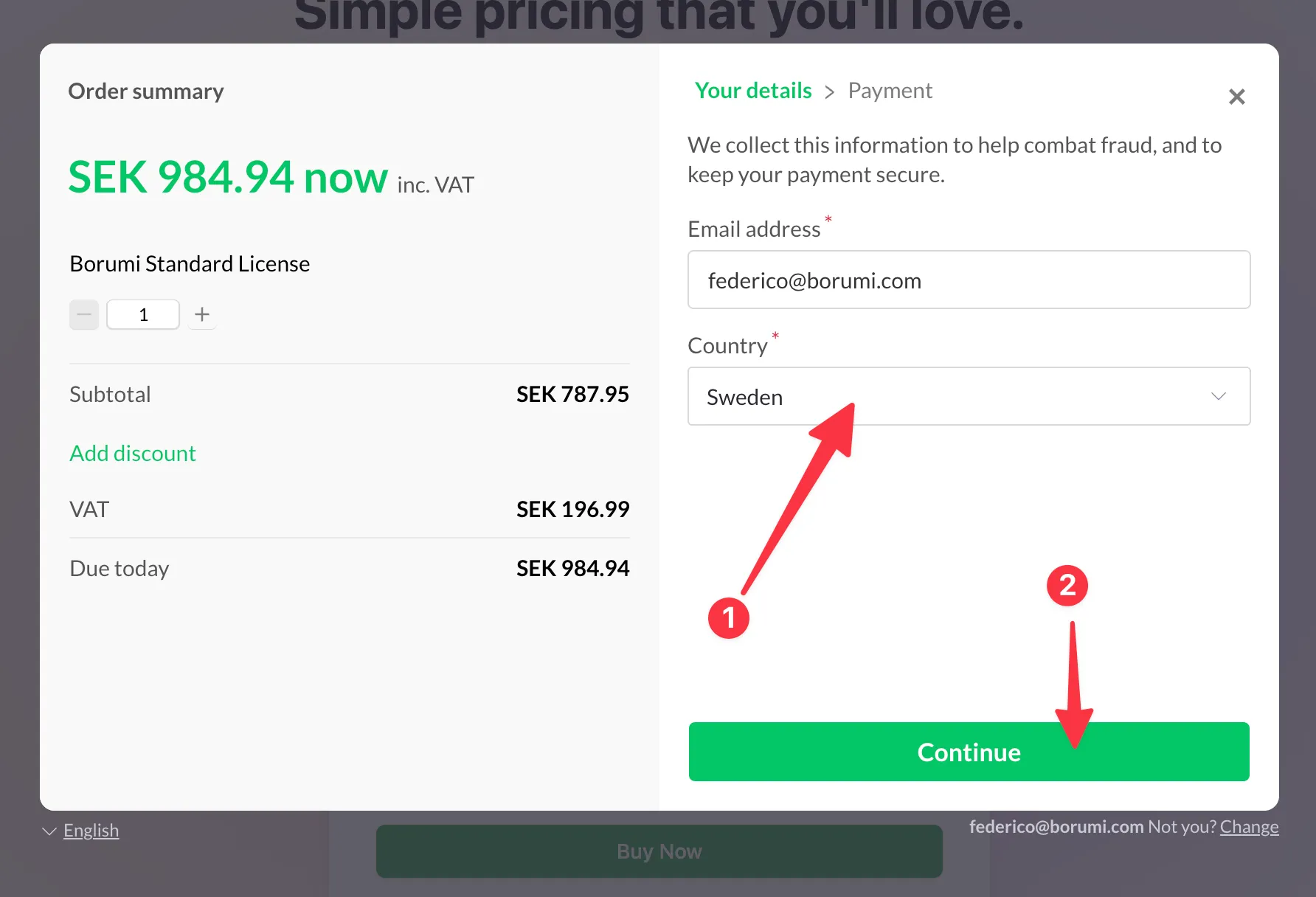
On the first checkout step, enter your email address and select your Country. For some countries, you also need to enter your ZIP/postal code before you can continue. Then click Continue.
-
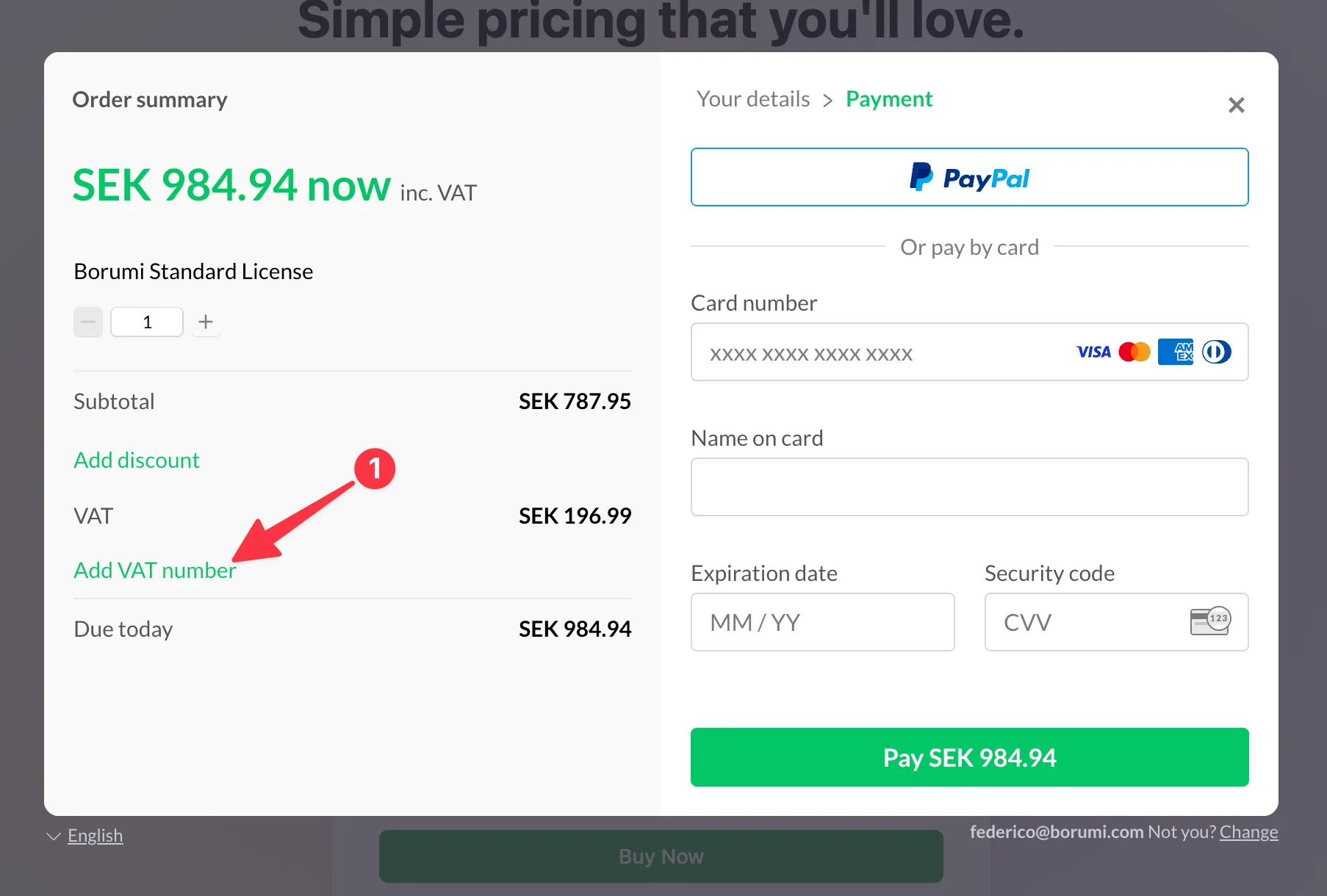
On the Payment step, click Add VAT number in the order summary on the left, below the VAT amount.
-
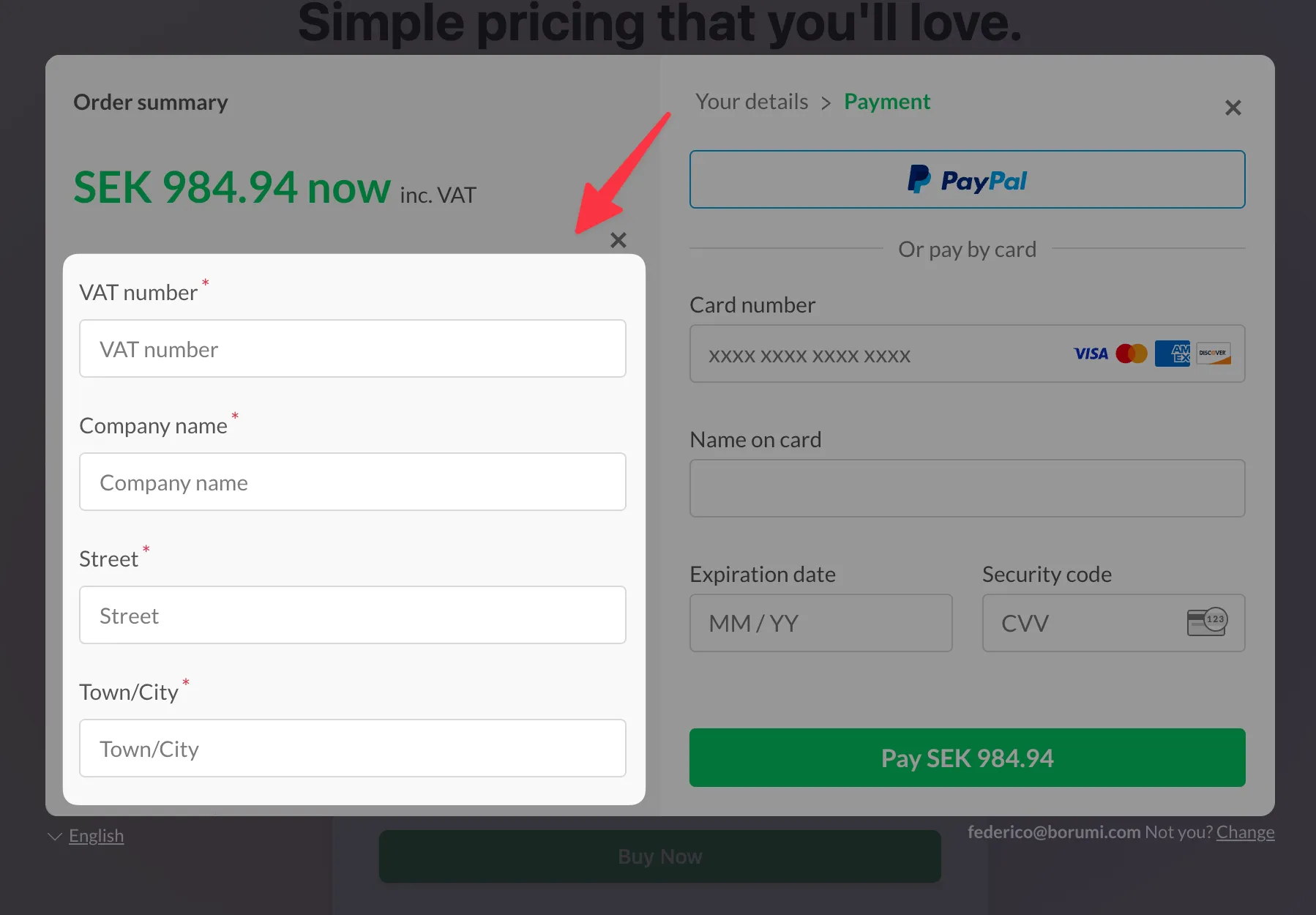
Enter your VAT number, Company name, and company address, then confirm. Once your VAT number is validated, the order summary updates and VAT is removed from the total if your business is eligible.
-
Check that the updated total is correct, then complete your payment with PayPal or your card.
Don’t see the Add VAT number option?
Section titled “Don’t see the Add VAT number option?”- Make sure you selected your country and clicked Continue first. The option is only shown on the Payment step.
If you still cannot add your company details or experience any issue, contact us. We will do everything we can to help.