
Send a project to another computer
Whether you want to continue editing on a different machine or hand off a video to a teammate, you can easily move a Borumi project to another PC or Mac. In this tutorial, we will walk through the easiest way to do so.
How to send your project to another computer
Section titled “How to send your project to another computer”-
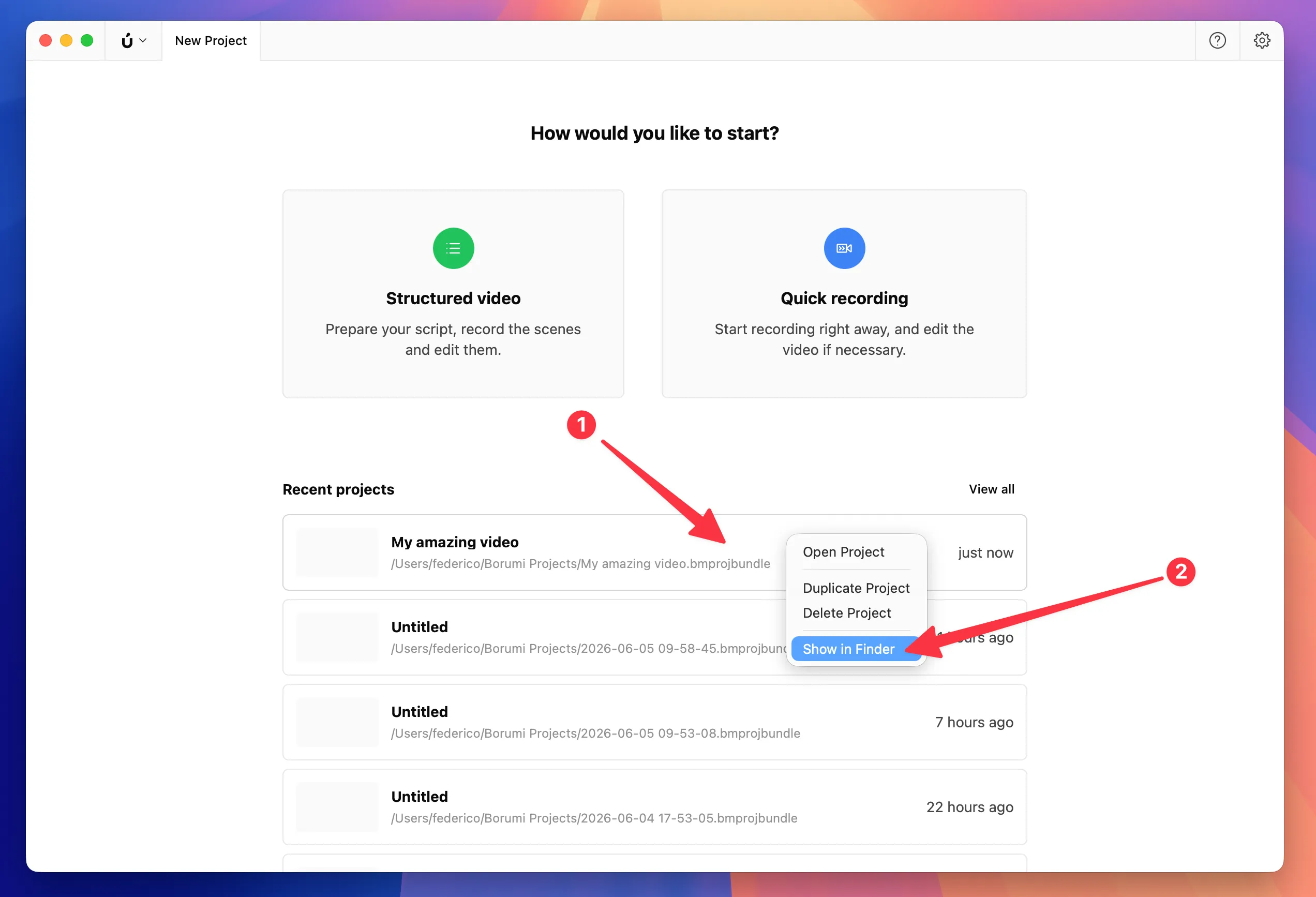
On the Home screen, right-click the project (1), then select Show in Finder (2).
-
In Finder, right-click the selected
.bmprojbundlefolder (1), then select Compress (2).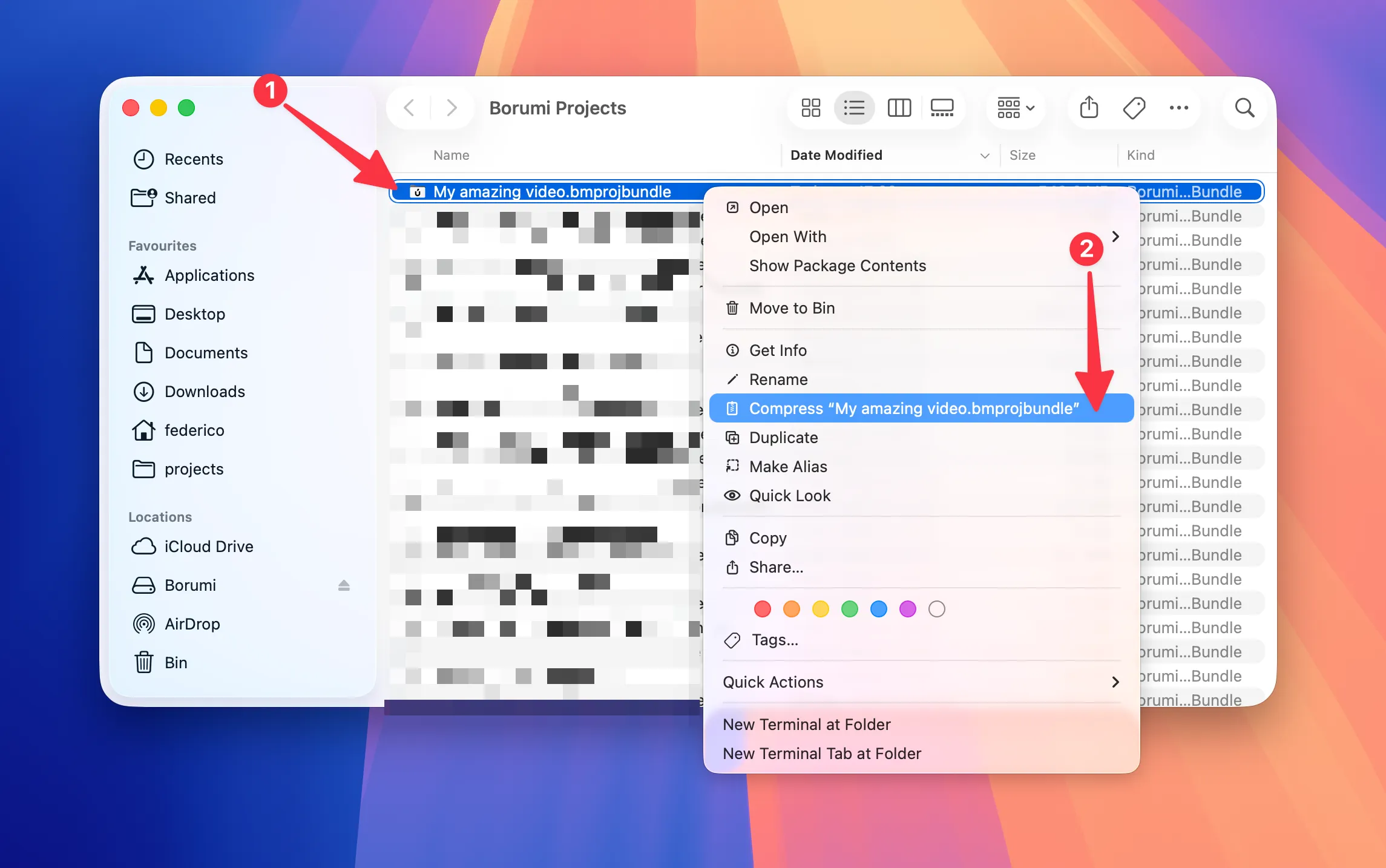
-
Send the generated
.zipfile to the other computer using your cloud storage of choice, for example Dropbox, Google Drive, or OneDrive. -
On the other computer, double-click the
.zipfile to extract it, then double-click the extracted.bmprojbundleproject. Borumi will open it right away.
-
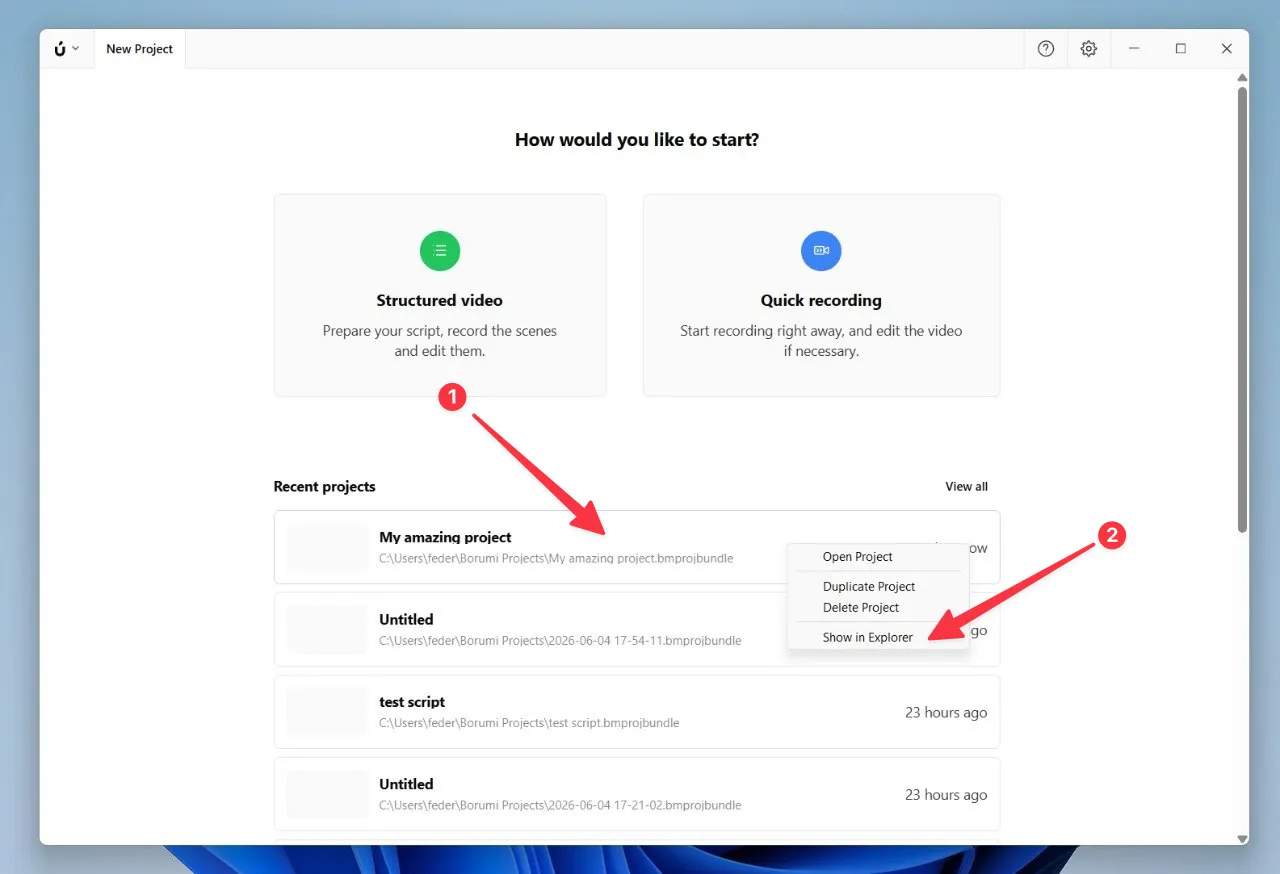
On the Home screen, right-click the project (1), then select Show in Explorer (2).
-
In File Explorer, right-click the selected
.bmprojbundlefolder (1), select Compress to... (2), then select ZIP File (3).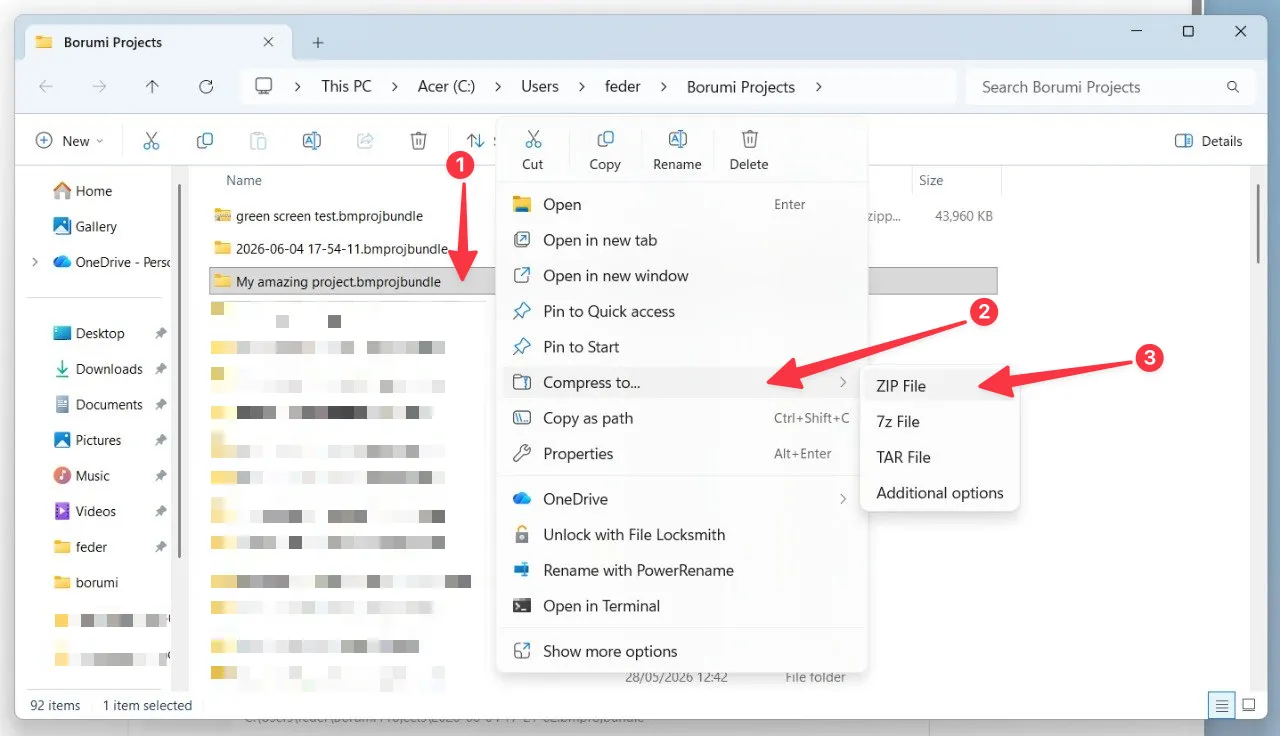
-
Wait for Windows to create the
.zipfile.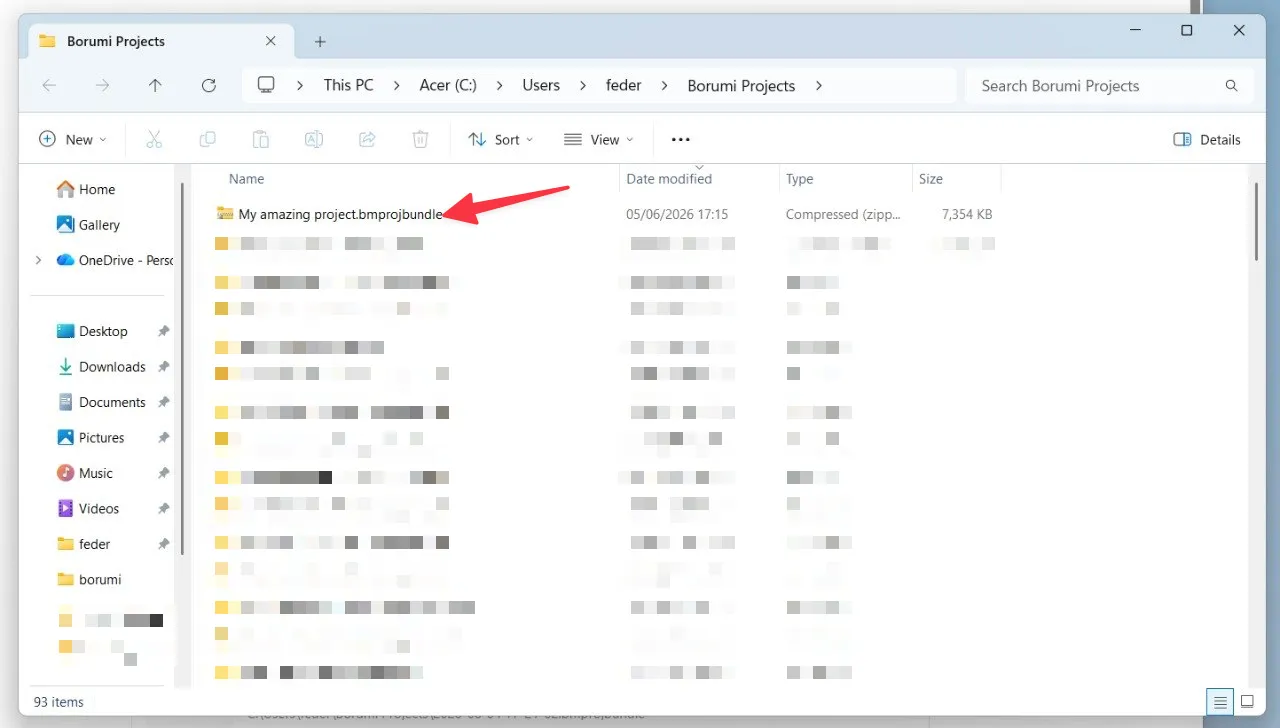
-
Send the generated
.zipfile to the other computer using your cloud storage of choice, for example Dropbox, Google Drive, or OneDrive. -
On the other computer, right-click the
.zipfile and select Extract All. Then open the extracted.bmprojbundlefolder and double-click theproject.bmprojfile. Borumi will open it right away.
Make sure Borumi is installed on the other computer before opening the project. If it isn’t, follow the Installation guide first.